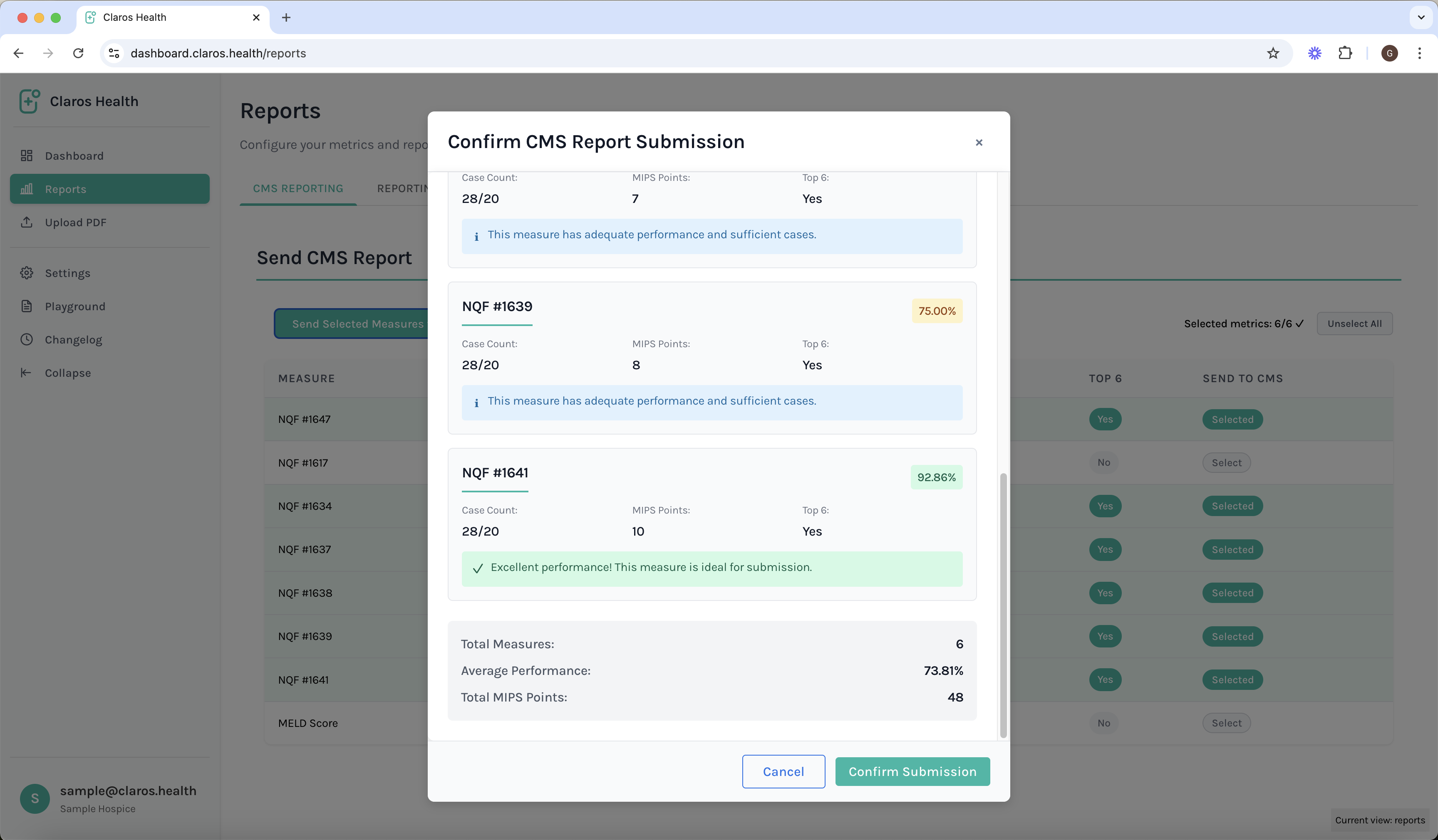
Overview
Claros Health’s CMS reporting system streamlines the process of generating and managing reports for the Centers for Medicare & Medicaid Services (CMS). Our platform automates data collection, validation, and submission, ensuring accurate and timely reporting while reducing administrative burden.Get Started
-
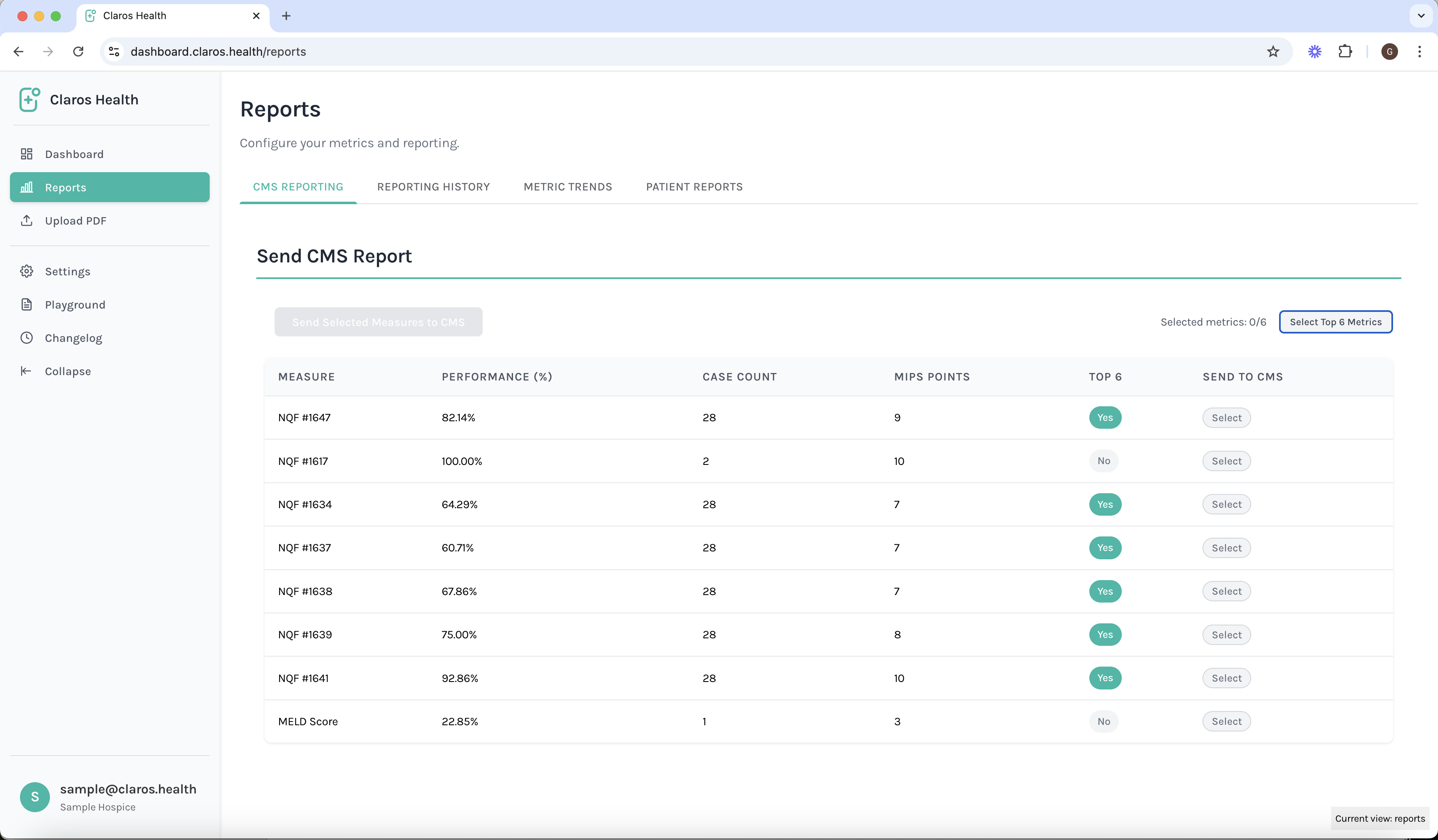
Navigate to the CMS Reporting section in your dashboard
-
Select the report type and configure the metrics. Note that you must select at least six metrics in order to continue with the process.

-
Review and submit your report