

Overview
Claros Health’s document processing system enables healthcare providers to efficiently handle and analyze medical documents and PDFs. Our AI-powered solution automates the extraction of critical information, reducing manual effort and improving accuracy.To learn more about our algorithm and design philosophy, please refer to our peer-reviewed publication at JAMA Network Open.
Getting Started
-
Click on the Upload PDF button on the top right of the dashboard, or on the sidebar.
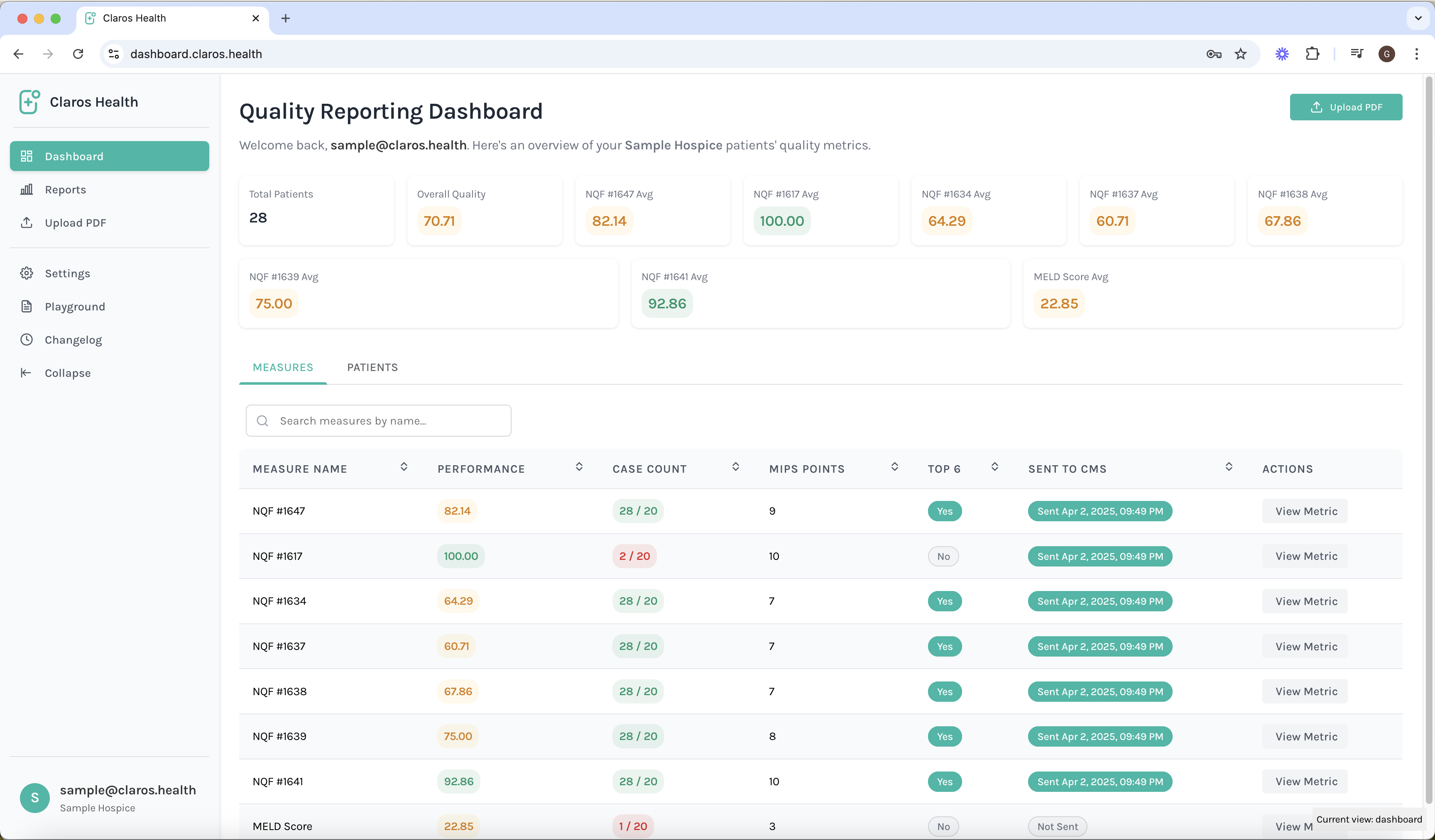
-
Click and Drag the patient PDF files
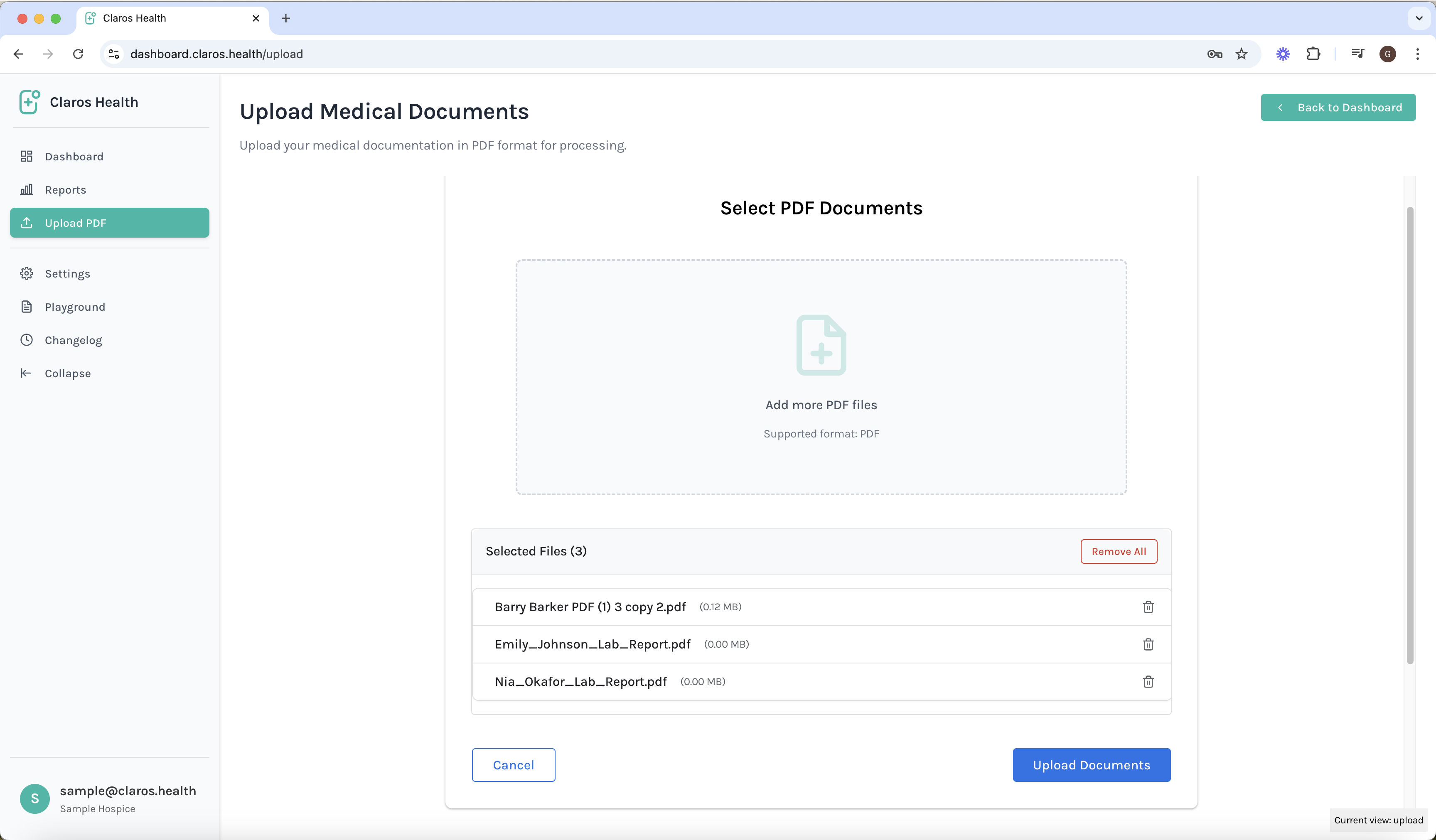
- Assign documents to existing patients, or assign the files to new patients.

- Add relevant information for each patient, manually or with our AI extraction tool.

Key Features
Document Upload
- Batch upload capabilities for PDFs
- Secure document handling with HIPAA compliance
- Automatic document classification
AI-Powered Analysis
- Intelligent text extraction
- Medical terminology recognition
- Structured data conversion
- Quality metrics identification
Security & Compliance
- HIPAA-compliant document handling
- End-to-end encryption
- Secure data storage
- Audit trails for all document processing activities