

Overview
Claros Health’s custom metrics system enables healthcare providers to create and manage complex quality measurements. Our platform allows you to build metrics using previously defined variables, making it easy to track and analyze patient outcomes and quality measures.Design Philosophy
Our dashboard provides a no-code platform for metric creation, enabling you to:- Build metrics from existing variables
- Create complex calculations
- Define conditional logic
- Set up time-based measurements
- Track quality indicators
Getting Started
-
Navigate to the Metrics section in your dashboard via the Settings tab.
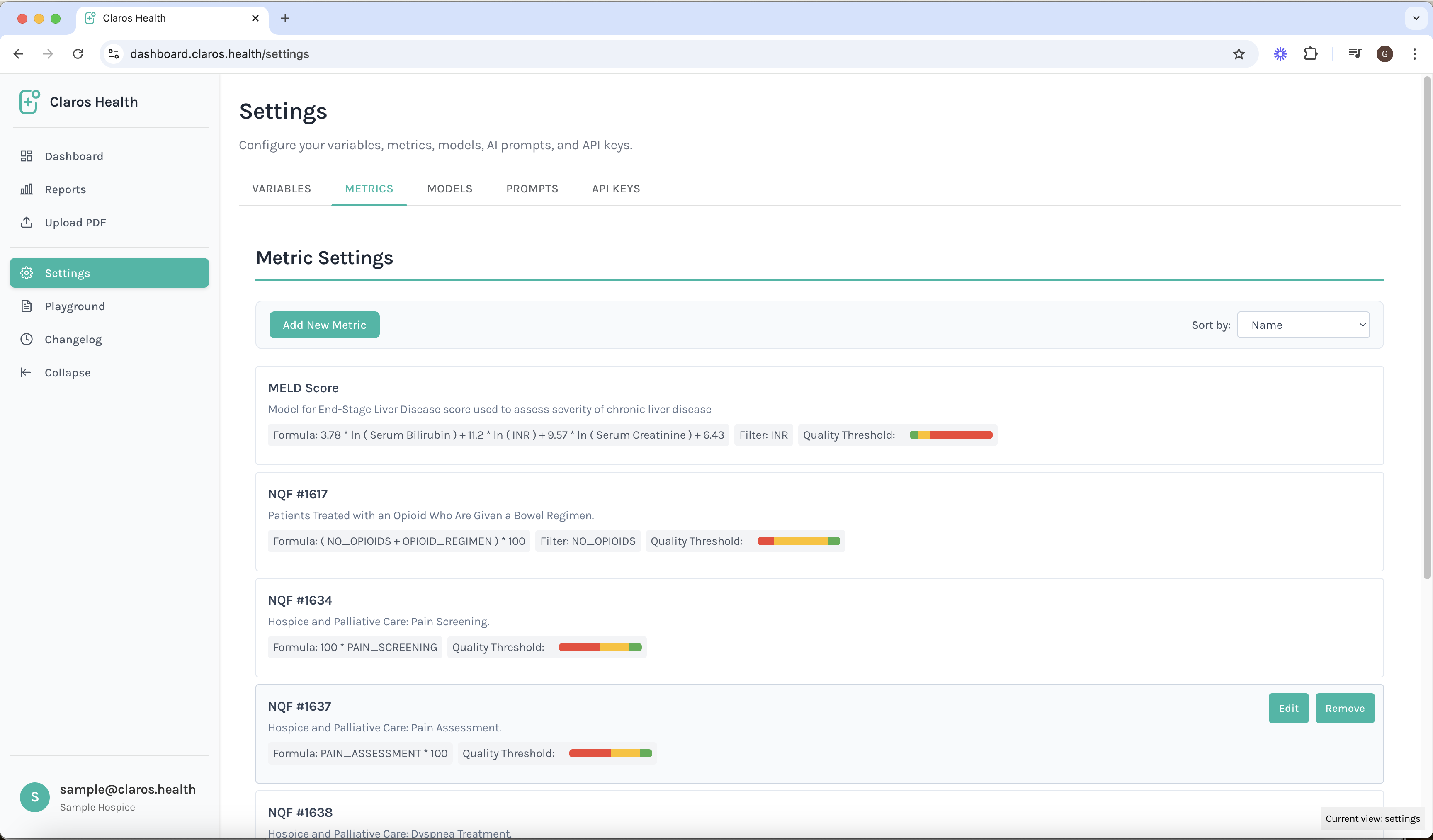
-
Click “Create New Metric” to define a new metric. You can either create your own metric, or choose a pre-set metric. For each metric, you may set custom healthy, neutral, and warning thresholds.
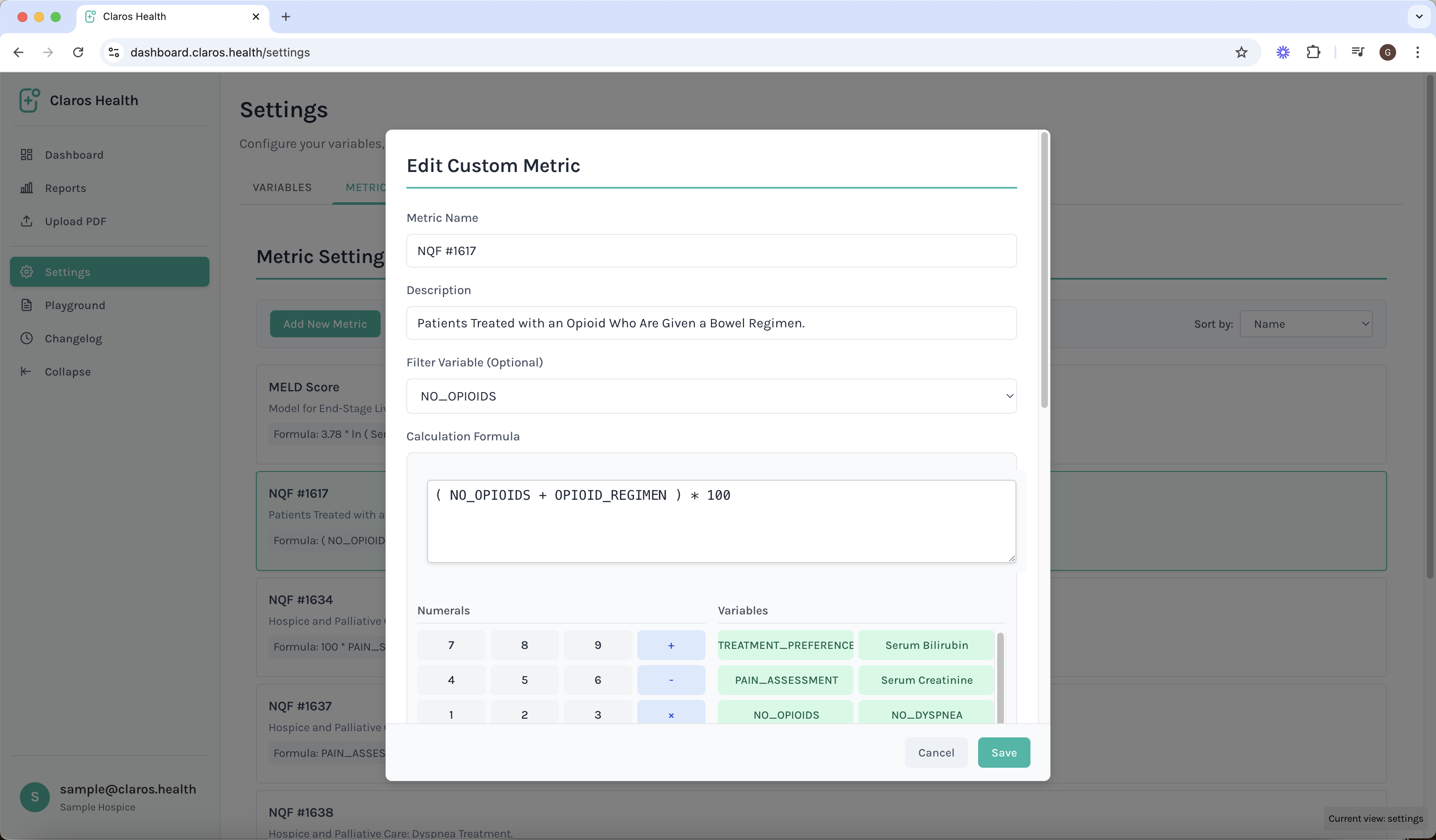
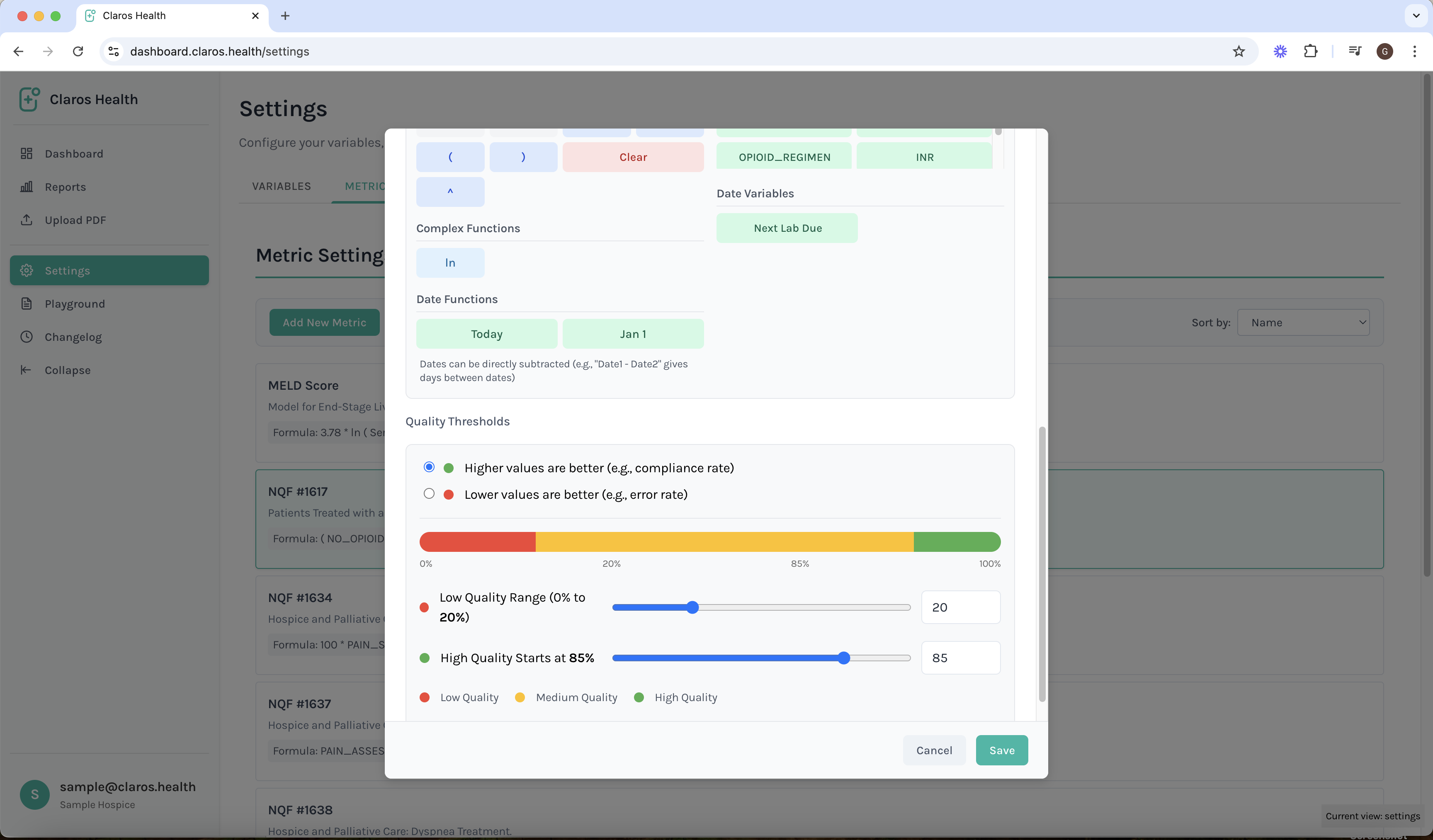
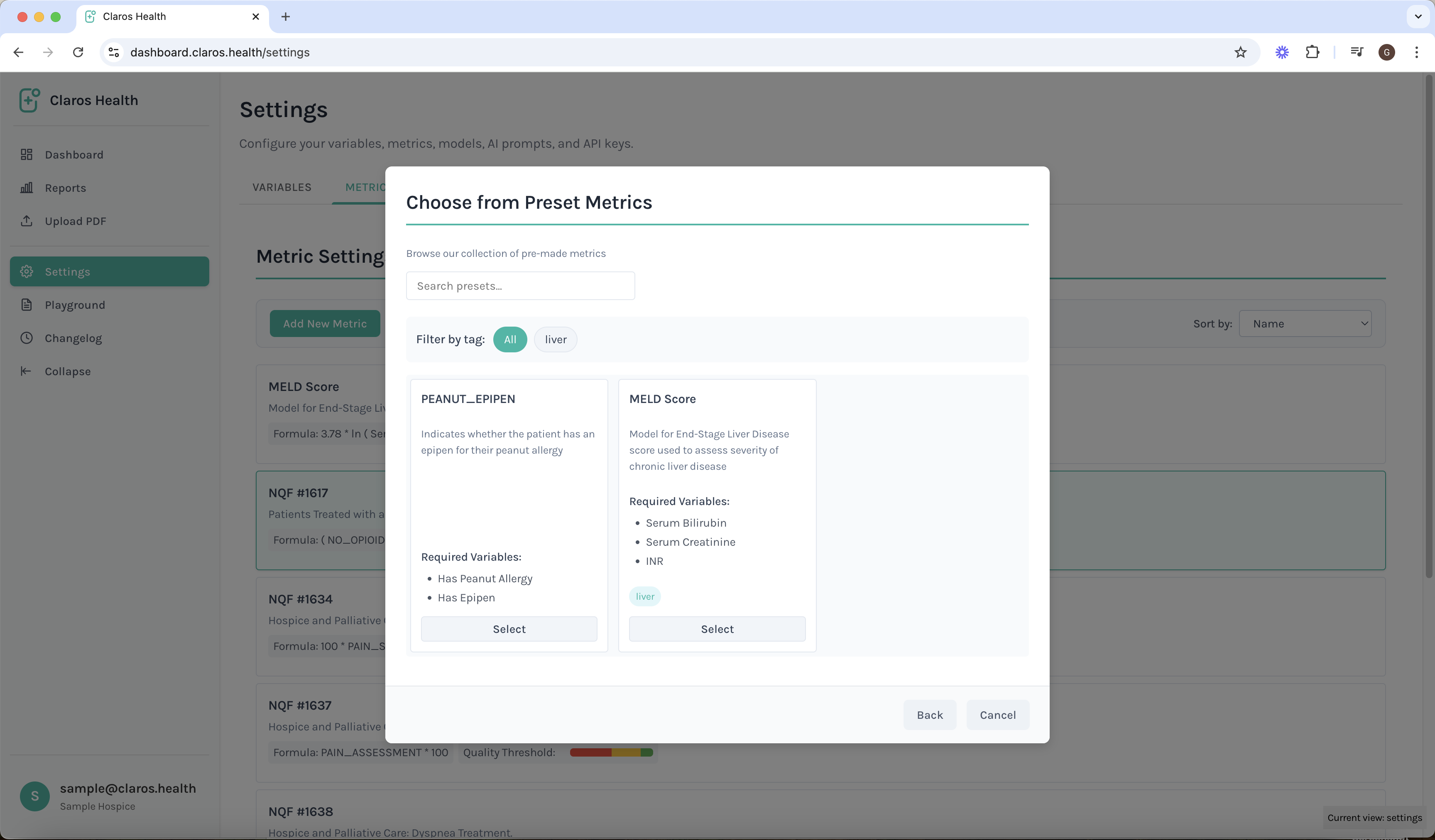
Best Practices
- Use clear, descriptive names for metrics
- Document metric formulas and purposes
- Regularly review metric performance
- Validate metrics with sample data
- Keep metrics aligned with reporting requirements
Integration with Variables
Metrics can be built using:- Numerical variables
- Date variables
- Mathematical operators
- Conditional statements
- Time-based calculations