

Overview
Claros Health’s variable management system allows healthcare providers to define and customize variables for data collection. Our platform supports both numerical and date variables, which can be used to create complex metrics for quality reporting and patient outcomes analysis.Design Philosophy
Our dashboard provides a no-code platform for variable management, enabling you to:- Define custom numerical variables
- Create date-based variables
- Configure extraction parameters
- Build complex metrics from variables
Variable Types
Numerical Variables
- Definition: Quantitative measurements and values
- Examples:
- Blood pressure readings
- Lab result values
- Medication dosages
- Quality measure scores
Date Variables
- Definition: Temporal data points and events
- Examples:
- Patient visit dates
- Procedure dates
- Medication start/end dates
- Follow-up appointment dates
Getting Started
-
Navigate to the Variables section in your dashboard via the Settings tab.
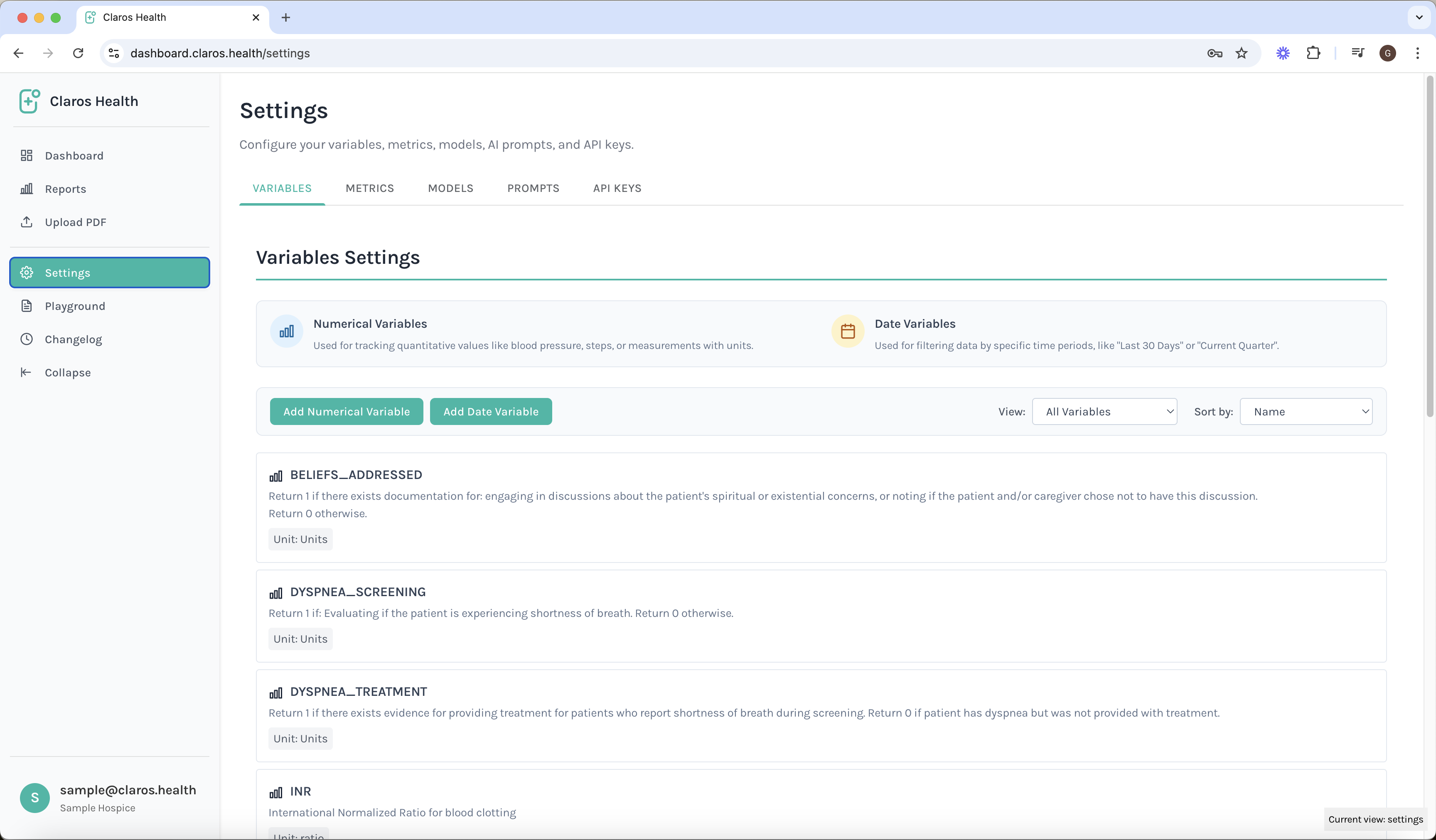
-
Click “Create New Variable” to define a new variable. You can define both numerical and date variables.
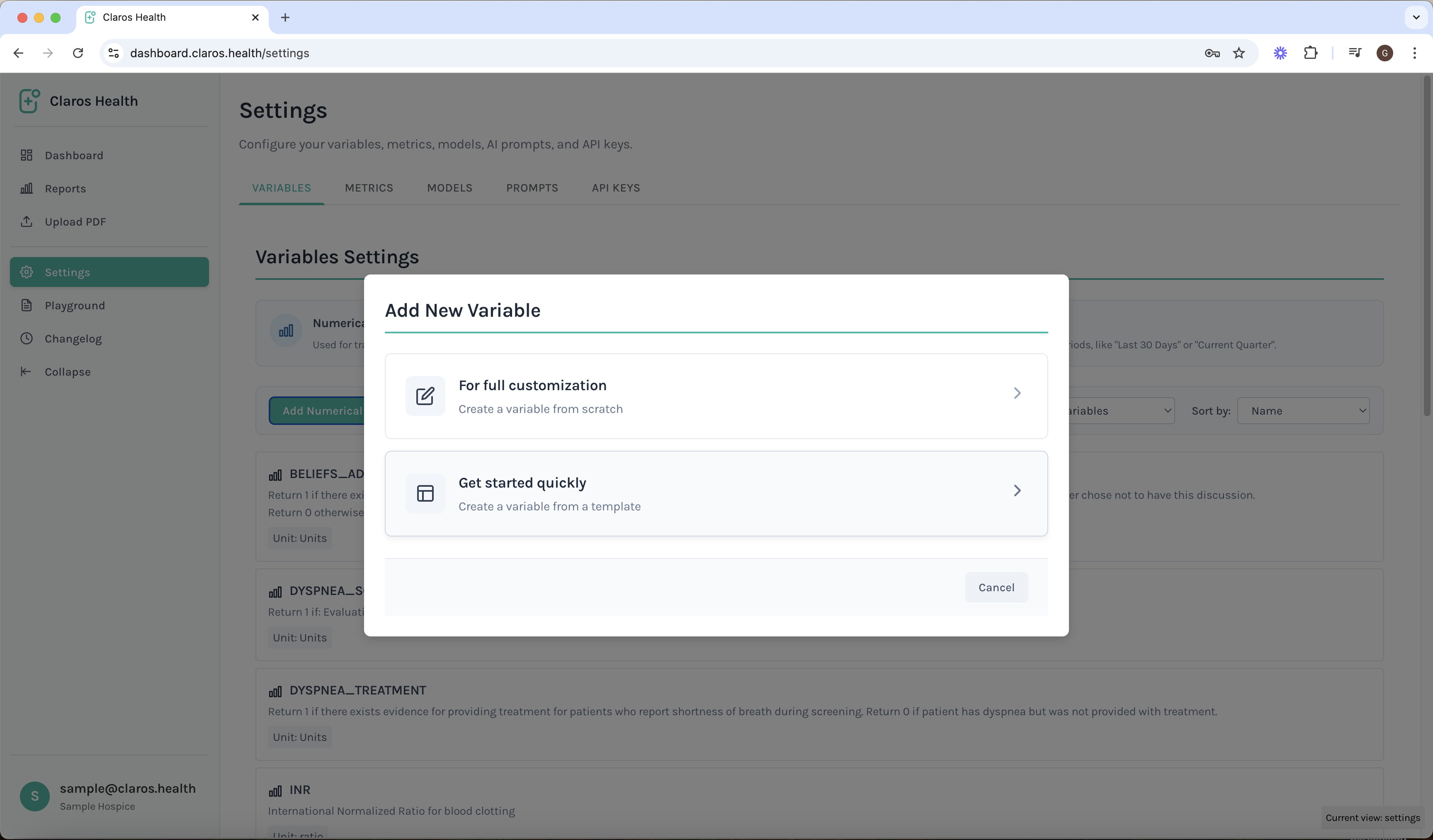
-
Configure variable definitions. You can either create your own variable, or choose a pre-set variable.
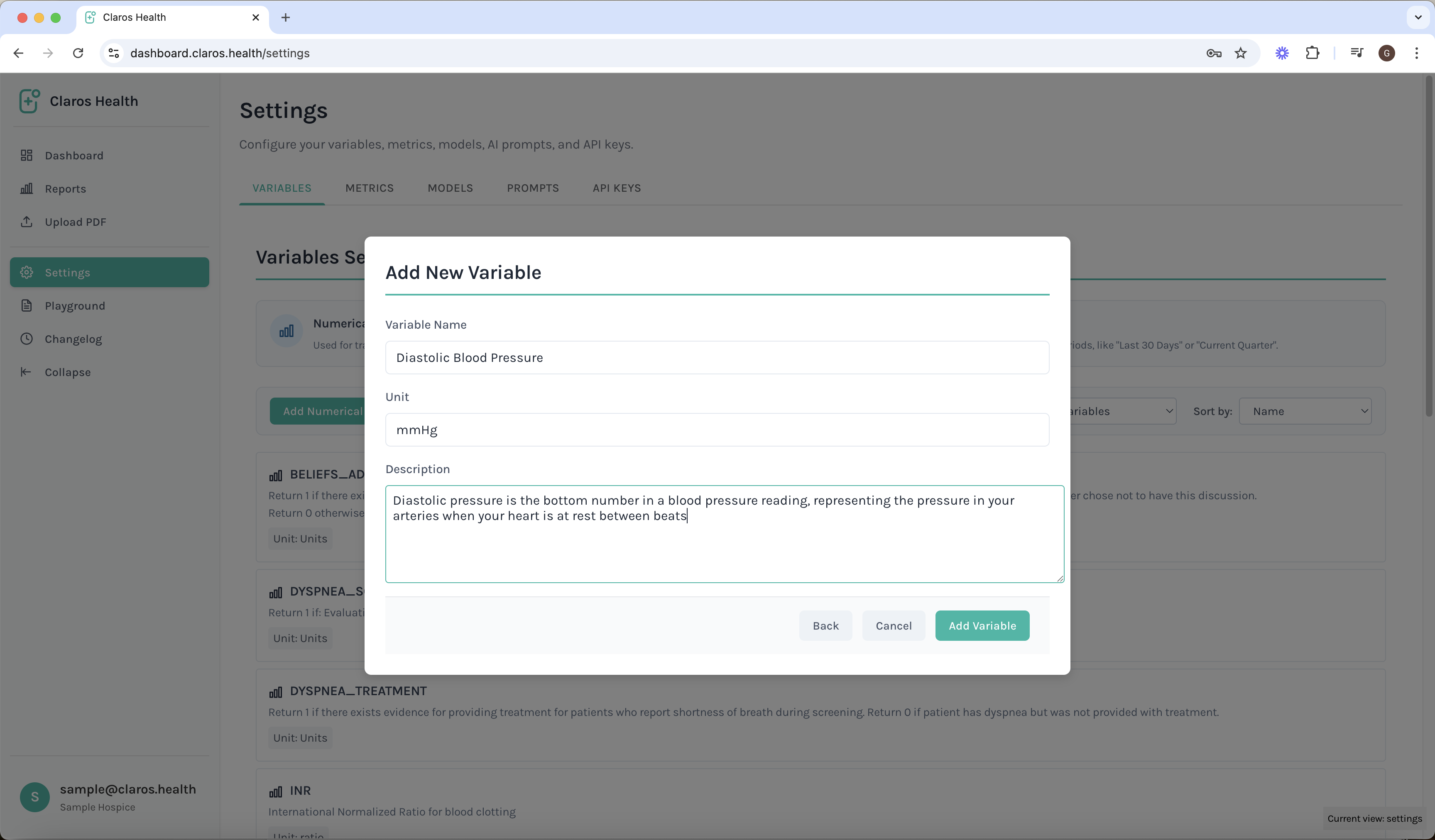
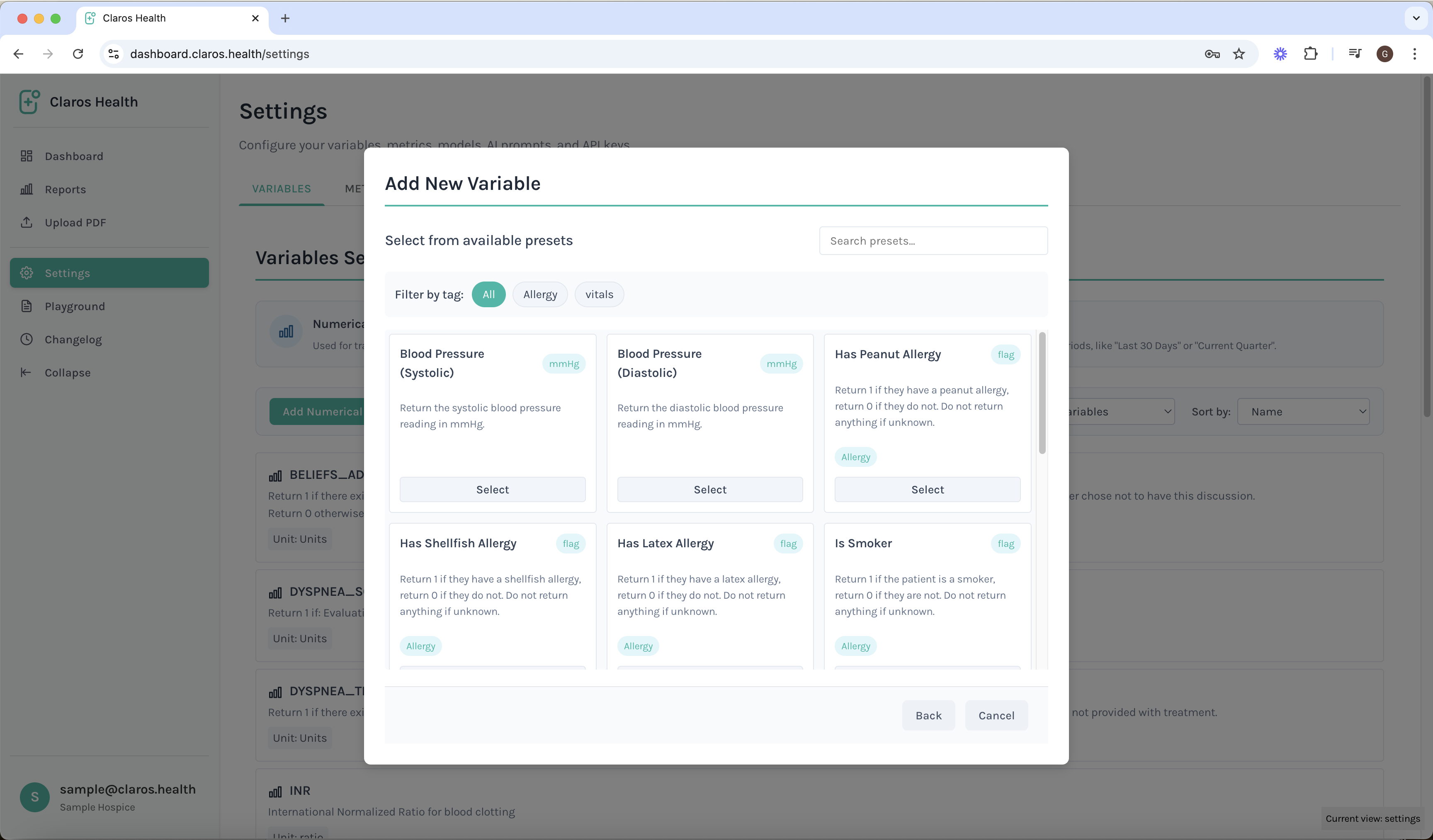
Best Practices
- Use clear, descriptive names for variables
- Document variable definitions and purposes
- Regularly review and update variables
- Test variables with sample data before deployment
Integration with Metrics
Variables can be combined to create metrics:- Simple calculations (e.g., averages, sums)
- Complex formulas
- Conditional logic
- Time-based calculations